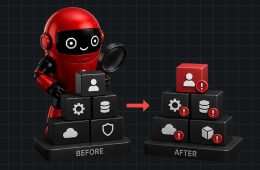
Preparing for a cloud security audit shouldn’t start two weeks before the auditor arrives.
By then, you’re already reacting.
The most successful audits happen when security controls are reviewed continuously—not when teams scramble to collect screenshots, export reports, and fix last-minute findings.
This checklist covers 30 critical security checks that every organization should review before an audit. Whether you run workloads in AWS, Azure, Google Cloud, or all three, these checks help reduce common security gaps and improve audit readiness.
Quick Answer
A cloud security audit should verify identity management, network security, encryption, logging, monitoring, cloud configurations, backups, and compliance controls across AWS, Azure, and GCP. Reviewing these areas regularly—not just before an audit—helps reduce security risks and maintain continuous compliance.
Identity & Access Management (1–6)
Identity is the first area most auditors review.
□ 1. Enable MFA for all privileged accounts
Administrator accounts should never rely on passwords alone.
□ 2. Remove unused users and service accounts
Disable or delete accounts that no longer require access.
□ 3. Review IAM roles and permissions
Look for excessive privileges and follow the principle of least privilege.
□ 4. Eliminate long-lived access keys
Replace them with temporary credentials or managed identities wherever possible.
□ 5. Protect root or break-glass accounts
Restrict their use, enable MFA, and monitor every login.
□ 6. Review third-party access
Verify vendors and external integrations still require the permissions they’ve been granted.
Network Security (7–11)
□ 7. Remove unnecessary public exposure
Review internet-facing virtual machines, databases, and storage services.
□ 8. Review firewall and security group rules
Look for overly broad rules such as:
- Any source (0.0.0.0/0)
- Any destination
- Unused open ports
□ 9. Segment production and development environments
Separate environments reduce lateral movement if an account is compromised.
□ 10. Secure remote administration
Limit SSH, RDP, and management interfaces to trusted networks.
□ 11. Verify WAF protection
Internet-facing applications should be protected by a Web Application Firewall where appropriate.
Data Protection (12–16)
□ 12. Encrypt data at rest
Verify encryption for storage accounts, databases, and backups.
□ 13. Encrypt data in transit
Use TLS for applications, APIs, and internal communications.
□ 14. Block public storage access
Review S3 buckets, Azure Blob Storage, and Google Cloud Storage permissions.
□ 15. Review key management
Confirm encryption keys are properly managed and access is restricted.
□ 16. Classify sensitive data
Know where customer data, financial records, and regulated information reside.
Logging & Monitoring (17–21)
□ 17. Enable audit logging
Verify services such as:
- AWS CloudTrail
- Azure Monitor
- Google Cloud Audit Logs
are enabled across all environments.
□ 18. Centralize security logs
Avoid scattered logging across multiple accounts or subscriptions.
□ 19. Monitor privileged activity
Track administrative actions and policy changes.
□ 20. Configure security alerts
Generate alerts for:
- Public resource exposure
- Privilege escalation
- Disabled logging
- Configuration changes
□ 21. Verify log retention
Logs should be retained long enough to satisfy compliance and forensic requirements.
Cloud Configuration & Compliance (22–26)
□ 22. Check for configuration drift
Compare current cloud resources against approved security baselines.
□ 23. Review compliance status
Monitor frameworks such as:
- CIS Benchmarks
- SOC 2
- ISO 27001
- PCI DSS
- HIPAA
- NIST
□ 24. Scan for cloud misconfigurations
Look for:
- Public resources
- Missing encryption
- Weak IAM policies
- Disabled monitoring
□ 25. Review Infrastructure as Code policies
Ensure templates follow approved security standards before deployment.
□ 26. Validate cloud inventory
You can’t secure—or audit—resources you don’t know exist.
Operations & Governance (27–30)
□ 27. Test backup and recovery
Confirm backups exist and can actually be restored.
□ 28. Review incident response procedures
Verify cloud-specific response plans are documented and tested.
□ 29. Assign ownership
Every critical cloud resource should have a clearly defined owner.
□ 30. Review remediation progress
Don’t just count findings.
Track:
- Critical issues resolved
- Average remediation time
- Repeat findings
- Outstanding high-risk issues
These metrics provide a much better picture of security maturity than simply reporting the number of vulnerabilities.
Don’t Treat This as a Once-a-Year Checklist
One mistake organizations make is performing these checks only before an audit.
Cloud environments don’t stay static.
A secure AWS account today can become non-compliant tomorrow after a new deployment, an IAM change, or a modified storage policy.
That’s why leading organizations automate as many of these checks as possible and continuously monitor for configuration drift instead of relying on periodic reviews.
How Cloud Aran Helps
Manually reviewing 30 security checks across AWS, Azure, and GCP becomes increasingly difficult as cloud environments grow.
Cloud Aran continuously monitors cloud configurations, identifies misconfigurations, tracks compliance posture, and highlights configuration drift before it turns into an audit finding. Instead of preparing for audits with spreadsheets and manual reviews, security teams gain continuous visibility into their cloud security posture from a single platform.
Frequently Asked Questions
How often should a cloud security audit be performed?
Formal audits are typically scheduled annually or based on compliance requirements. However, cloud security checks should be performed continuously because cloud environments change daily.
Does AWS, Azure, and GCP provide built-in audit tools?
Yes. All three providers offer native services for logging, monitoring, and configuration management. Many organizations complement these with CSPM platforms to gain consistent visibility across multi-cloud environments.
Can CSPM automate this checklist?
Many of these checks—including configuration monitoring, compliance validation, public exposure detection, and security policy enforcement—can be continuously monitored through a CSPM platform. Some platforms also provide remediation guidance and automated workflows.
Conclusion
Passing a cloud security audit isn’t about fixing issues the week before an assessment. It’s about maintaining secure configurations every day.
By reviewing identity, networking, data protection, logging, compliance, and governance on an ongoing basis, organizations can reduce security risk, simplify audits, and spend less time gathering evidence. The strongest audit outcomes come from continuous visibility—not last-minute preparation.